As I've been thinking about how accessible video conference technology has become, I've come to realize that there are many technical considerations that cannot be taken for granted when communicating with long distance guests.
1]
a computer: Probably the easiest component to procure; both teacher and guest will need a reliable workstation.
2]
a data projector: Although the day is not far off for every classroom to have access to projection technology, a teacher might need to scavenge a
SmartBoard or projector from somewhere in the school.
3]
a robust Internet connection: For a reliable communication channel, a high speed connection with reasonable bandwidth will be necessary to maintain the audio and video signal.
4]
video conference software or a suitable online account:

There are many possibilities, but teachers will need permission to install or access a suitable conference tool. In my own limited experience, I've used
Skype,
Google Video Chat,
Adobe Connect,
Adobe ConnectNow,
USTREAM.tv, and
Elluminate. Other tools are available, and still others are sure to come available.
5]
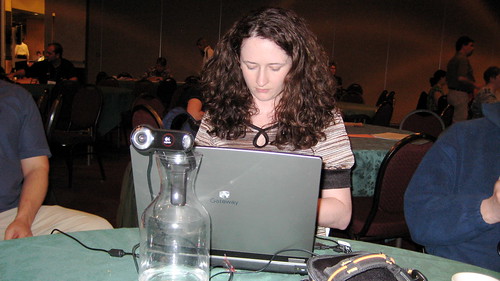
camera & microphone: Although many computers now come equipped with an embedded camera and microphone, other USB devices can also be used. Peripheral multimedia tools will require setup, but most operating systems will walk users through the process.
6]
a purpose or topic: Regardless what you're teaching, having an engaging purpose for your video conference will ensure the fruitfulness of the event. The conference/meeting/presentation might be a kick-off to a rich learning experience, or it might serve as the culminating activity to a unit of study. Whatever the event, ensure that students have opportunities to interact with the guest.
7]
a guest: Although many will rely on their personal learning networks in order to connect with suitable guests, I'm hopeful that teachers will soon be able to recruit speakers from online directories. Resources like
MERLOT Virtual Speakers Bureau,
VROC, and
WiZiQ highlight the potential, but there is still a need for a K-12 directory of long distance guest speakers. Maybe
Dave Eggers TED Prize wish will spark the creation of such a directory?
Although many of us may take the idea for granted, hosting a remote guest for a classroom speaking engagement will require familiarity with many ICT tools and processes. Knowing that comfort with the use of A-V through the World Wide Web comes with practice, maybe you should try engaging in video chat with a member of your PLN?
Photo Credit: Jessica Mullen

 Over the past two years, I've had the opportunity to build relationships with e-learning colleagues that span my home province of Ontario. While I've greatly enjoyed working with online teachers and their support teams, it is in collaborating with provincial colleagues who share my role, that I've experienced the most insightful personal and professional growth.
 As a testament to how close we've become, the ReLCs will be with me FORE a long time, thanks to a perfectly appropriate 'going away' gift!