Showing posts with label online safety. Show all posts

Monday, January 26, 2009

Don't be a Phish

I admit that I'm partial to the music of Phish, but I don't appreciate the constant stream of web-based IQ tests that are finding their way to my inbox.

A few days ago, I shared a phishing attempt that represented itself to be from Google. Would you have fallen prey? Why my G-mail account failed to recognize it, I'm still wondering... But surely, more elaborate phishing attempts can be anticipated.

How about a follow-up test?
One of the two websites below is authentic, the other is a phishing attempt disguised to trick users into giving away their login details. Can you tell which is which? What additional information do you need in order to decide?


Would you like a hint or two?

This is a copy of the original email that linked to both the real Paypal site, and the phishing site. DO NOT ENTER ANY INFORMATION INTO THE FIELDS OF THE PHISHING SITE.

With luck, your browser may caution you prior to displaying the dishonest site; and in most cases, close inspection of the web address should confirm that you are not at an authentic site. Note that it is possible for a site manager to cloak the real address and to display a false but authentic-looking domain name.

This mimicry, is the same type of work that fooled many in the Twitter community, to share their login details during last month's phishing expedition. Though that episode appears to have been horseplay, the consequences of falling for such a ploy can be grand. It's just one more reason to follow practical password advice.

If you're looking to teach others about 'phishing', I highly recommend the clever creative work of Common Craft. Regardless of your audience, Phishing Scams in Plain English is a great little tutorial.

Monday, January 19, 2009

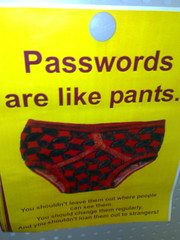
How Secure is Your Online Identity?

Do you use the same password(s) over and over?
Do you record your site access details on a paper list?
Do you regularly use simple to remember keywords?
Is your PIN number the same as your birthday or address?
Do you share your TwitterID and password with 'fun' sites?


If you're like most people, you likely use a few key userids and passwords, making it easy to navigate the many sites and services for which you've registered. Given this common practice, have you ever considered how secure your personal identity really is?

Check the security of your passwords?

Tip #1 Use many passwords.

While it may not be super convenient to keep track of a number of userids and/or passwords, the inconvenience is nothing compared to the task of recovering from identity theft. When registering for an online service, be sure to use an authentic email address so that the site can forward your login details. Your email account provides backup should you ever need to search for a forgotten password, or to request a new password.

Tip #2 Remember your passwords.

If you visit numerous Web 2.0 sites, I recommend saving your passwords in a secure database. You can create your own password protected file, or you can use a tool designed for this purpose. Tools I've used on my Mac and iPhone include 'Wallet', and '1 Password', but there are other tools you might consider, including free ones like Keepass. Each of these tools provides access to my online registration details but you'd need to know the master password in order to gain access to the data. Don't forget to backup this file on more than one drive!

Tip #3 Use strong passwords.

The use of your favourite hobby; your birthday; a child's name; or something easy to type, may make it easy for you to recall your password, but it also makes it relatively easy for an identity thief to crack your code. Instead, use unique codes that cannot be found in a dictionary. Include letters, numbers, and symbols, and ensure that the code has at least 8 characters. (Some experts recommend that using up to 14 characters is the best way to be secure.)

Consider developing passwords from memorable phrases:
"My husband never helps with washing the dishes; Thank goodness we have a dishwasher!" which might become: mhnhwwtd;tgwhad!.

Playing around with the capitalization is also recommended:
"I love when my 5 year old asks for money, especially on his birthday", which could translate to: IlwM5yoafM,eoHb

Tip #4 Change your passwords.

For highly sensitive logins (financial accounts; remote computer access; web memberships...), you should periodically update your passwords. Like changing the battery in your smoke alarm, you may never need such security, but if there is ever a breach, your pre-planning will significantly minimize your recovery time.

Photo Credit: Richard Parmiter and binaryCoco