
 I recently attended the North American International Auto Show in Detroit, Michigan, and one of my big takeaways, was that the auto companies have finally figured out that it's time for a change. New cars are digitally smart; environmentally economical; forward thinking. While it took bankruptcy and a threat to their very existence to turn things around, I can't help but wonder why the departments that manage technology in our schools have been slow to acknowledge the need to reinvent themselves.
If you are a person in charge of making decisions about the direction a school or board takes regarding Information and Communications Technology (ICT), I challenge you to plan a way forward from where you are at this moment in time, rather than letting past history dictate where you spend your available resources in time, money and people.
Limit Desktop Software to what the Machines Can Handle
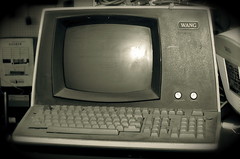 In my school board, like many others on Ontario, we have access to a wide range of OSAPAC-licensed software. While recent web-based resources have been included in educational licenses, it has been common for most applications to resides on outdated disk drives. In my experience, these drives have been very sluggish in delivering apps to the networked computers that serve our students, resulting in slow uptake of the most powerful of tools. The result of populating our schools with refurbished computers, is that students and teachers are commonly working on computers that are 8 years old. (The workstation I am provided through work, is a 2004 refurbished desktop.)
Question: How old is the computer you use?
Challenge: Teachers and students may need to say goodbye to favoured tools. Remember WordPerfect?
Opportunity: By phasing out desktops, you can pave the way for the ideas that follow.
Acknowledge that the Web is the One App that Matters Most
Prioritize making the Internet the app we serve to all students and teachers. Realizing that browser-based apps are usually optimized for access by multiple simultaneous users, students and teachers are likely to these alternatives to be more nimble than their desktop alternatives.
Question: What is the one app that you couldn't live without?
Challenge: Educators will need to find alternatives for the programs they do use. The ICT department will have to increase the budget for bandwidth.
Opportunity: Educators will eventually discover more online resources than they might have imagined.
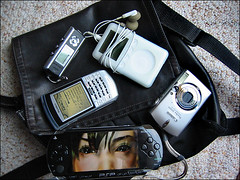 Facilitate the Use of Personal Devices
There is little excitement in doing technology based projects when the tools we're using are out-of-date. Move to a model that allows and encourages users to use their preferred devices. Of course such a strategy needs to provide a range of handheld devices to level the playing field for those unable to provide their own.
Question: Does the hardware supplied by your employer meet your personal needs?
Challenge: Someone will need to write a 'Personal Devices Policy'.
Opportunity: Once approved, such a policy will open doors to cross-platform multi-app learning.
Migrate to the Cloud
At great cost, in the name of security and privacy, school email accounts are often managed on board-owned servers. Why did so many boards fail to introduce email to students? In the face of other choices, this tool has become less relevant to the younger generation. Still, providing a collaborative communications suite to learners makes sense... especially if such a tool allows students to take their communications and creations with them upon graduation. It's past the time when schools should have moved to a web-based service for email, calendars, and word processing. While I've been advocating for years that this might best be done through Google, there are alternative web-based office suites available.
Question: Do you access your files from multiple devices?
Challenge: We may have to say goodbye to something everyone has grown comfortable with.
Opportunity: Learners might gain long term access to their work... from anywhere.
Introduce Digital Note-taking
 I maintain that the move towards digital notebooks will signal to all that education is changing. The use of web-based multimedia notes can enable the archiving and retrieval of information using a wide range of web-enabled devices. While the saving of content in any kind of notebook may still seem archaic to some, the use of individual collaborative e-notebooks is a skill that I expect will remain relevant for future generations.
Question: Do you collect your learning in a paper binder? Why not?
Challenge: Parents and teachers who prefer paper to bits and bytes will need plenty of handholding.
Opportunity: e-Binders are searchable, shareable, and sustainable.
Focus on Skills Rather than Software
Whether learning takes place in a professional development workshop or during a classroom lesson, the emphasis should be on skills rather than on software titles. Workshops on 'PowerPoint' or 'Smart Ideas' should be replaced with lessons on 'The Power of Presentations' or 'Learning through Visualization' and should be accompanied with access to a menu of relevant apps.
Question: What was the focus of the last tech workshop you attended?
Challenge: Modelling differentiation is a greater challenge than speaking about it.
Opportunity: Transferable digital skills can naturally evolve into differentiated teaching and learning.
Say Goodbye to Desktops; Say Hello to Wireless
 By embracing banks of mobile wireless devices, teachers and students will have far greater flexibility in how they do their work. By partnering such initiatives with a movement towards BYOD and ubiquitous wireless, desktop anchors should gradually fade from our classrooms.
Question: Do you still work on a desktop computer? Why?
Challenge: Out-of-date desktop computers have been inexpensive to purchase... but expensive to maintain.
Opportunity: Savings on maintenance will free manpower and funding to pursue the other pieces of the puzzle.
Diversify
There is no one answer for what educational technology should look like. As an organization, I recommend embracing variety and diversity. Allow schools to choose the types of tools they would like to use in their classrooms. Whether you are a fan of Smartboards, iPads, PCs or Macs, there is room for almost any device in a wireless, web-centred system.
Question: What is your vision for the learning space you'd like your child or grandchild to experience?
Challenge: Varied choices and local decision-making will lead to questions about equity.
Opportunity: Through variety, pockets of excellence will emerge.
Recreating our ICT infrastructure for an unknown future is a challenge. Whether or not you agree with these suggestions, I hope these ideas encourage decision-makers to carefully consider how we can best support the learning of our children.
Photo credits: Rodd Lucier, TarynMarie, Burnt Pixel, aperture_lag, binarydreams